Debian and Ubuntu dominate cloud images and developer laptops. Red Hat Enterprise Linux dominates large enterprises, banks, government, and anywhere with a support contract and a compliance requirement.
If you want to work in enterprise security, you will meet RHEL. The Red Hat track covers it specifically, including the things that behave differently enough to catch out a Debian user.
Where Red Hat Fits
The course starts by mapping the landscape: RHEL itself, Rocky Linux and AlmaLinux as compatible rebuilds you can practice on for free, Fedora upstream, and where the certifications sit.
The two that matter are RHCSA, the system administrator certification, and RHCE, the engineer certification which is now focused on Ansible automation. Both exams are entirely practical. You are given tasks on live systems and graded on whether they work afterwards, which makes them much better evidence than a multiple choice test.
Software Management the Red Hat Way
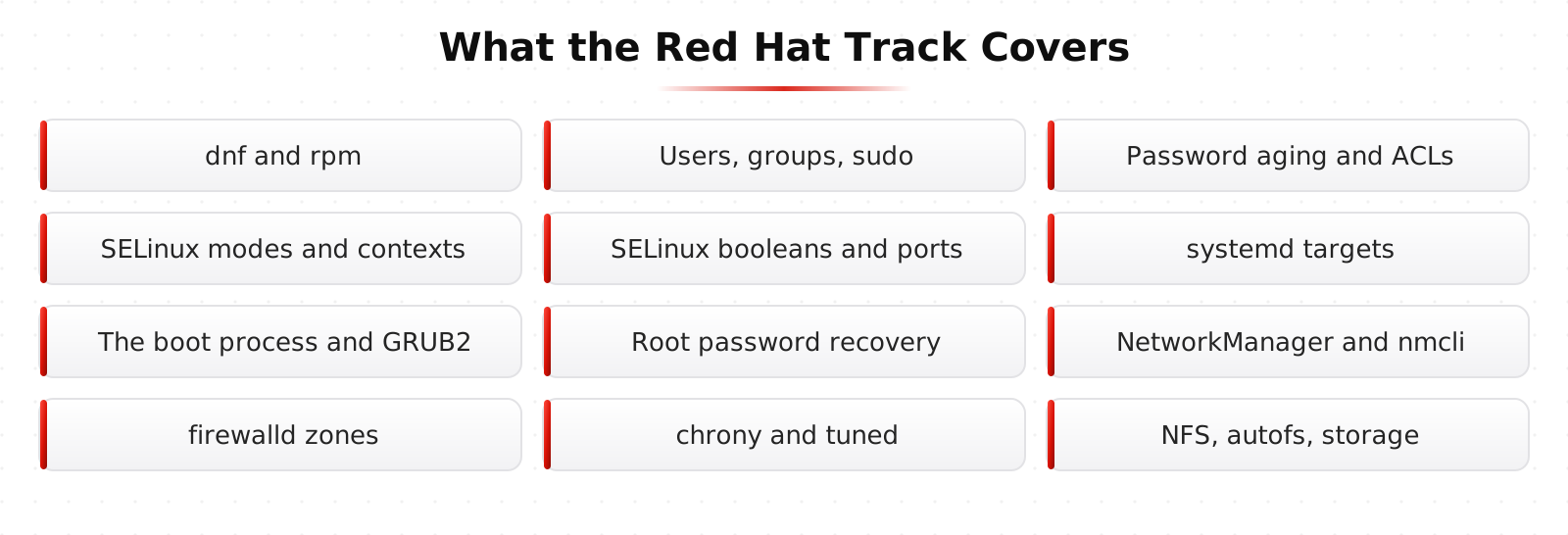
Managing software with dnf, finding packages with dnf provides, working with groups and history, then repositories, EPEL, and AppStream modules.
Then the rpm command for querying and verifying packages. Verification is a security feature worth knowing: rpm can tell you which files from a package have changed since installation, which is a fast integrity check on a suspicious host.
Flatpak is covered too, since desktop application distribution has moved that direction.
Users, Groups, and sudo
Creating and managing accounts, groups and collaboration, password aging and account security, configuring sudo properly, special permissions and umask, and access control lists.
Password aging gets more attention here than in most courses because it shows up in nearly every compliance audit, and because the defaults are rarely what the policy document claims.
SELinux, Explained Instead of Disabled
SELinux is the feature most people turn off. That is understandable and it is the wrong answer, because it is one of the strongest mandatory access controls available on Linux and it stops entire classes of exploitation.
The course covers modes and the big picture, contexts as labels on files and processes, managing file contexts, booleans for toggling common behaviors, and then ports, logs, and troubleshooting.
Troubleshooting is the key lesson. Almost every SELinux problem is a context that does not match what the service expects, and the audit log tells you exactly that if you know how to read it. Once you can read a denial, SELinux stops being mysterious.
Boot, Targets, and Recovery
systemd targets and the default target, the Linux boot process end to end, GRUB2 as the bootloader, resetting a root password you do not have, and general boot troubleshooting.
Resetting the root password from the bootloader is on the RHCSA exam and it is also a useful reminder about physical security. Anyone with console access and a reboot can take over an unencrypted machine, which is why data center access control and full disk encryption exist.
Networking and firewalld
NetworkManager and nmcli for devices and connections, configuring IP addresses, hostnames and name resolution the Red Hat way, and the firewalld firewall with its zones, services, and ports.
firewalld is a different model from raw iptables. It thinks in zones, where an interface belongs to a zone and a zone has a policy. Once you understand that, it is faster to work with, and the concept maps onto how commercial next generation firewalls organize rules.
There is a practical exercise on exposing a service safely, which brings together the firewall, SELinux port labeling, and the service configuration all at once. That combination is exactly where real deployments get stuck.
Time, Tuning, and Storage
Time synchronization with chrony, which matters enormously for security because correlated logs across hosts are useless if the clocks disagree. Kerberos authentication also simply stops working when clock skew gets large enough.
Then performance tuning with tuned, process priority with nice and renice, preserving the systemd journal across reboots so your logs survive, mounting network storage with NFS, and on demand mounts with autofs.
The RHCSA Practice Exam
The track ends with a full practice exam in the same format as the real one: a live system, a list of tasks, a clock, and a grade based on whether the system does what was asked afterwards.
That format is the point. There is no partial credit for knowing the theory, and there is no way to bluff it, which is exactly why employers take it seriously.
Learn This at HackRange
RHCSA is one of the few entry level technical certifications that is entirely practical. It pairs well with security work because it proves you can actually run the systems you are defending.