Every organization has a server that nobody remembers building. It runs something important, the person who set it up left in 2019, and nobody wants to touch it in case it stops.
Week 3 is about walking up to that machine and working out, systematically, what it is exposing and what to do about it.
What Is This Machine Exposing?
The first question is always what is listening. On Linux that means looking at open sockets, mapping each one to a process, and mapping each process to a reason it exists.
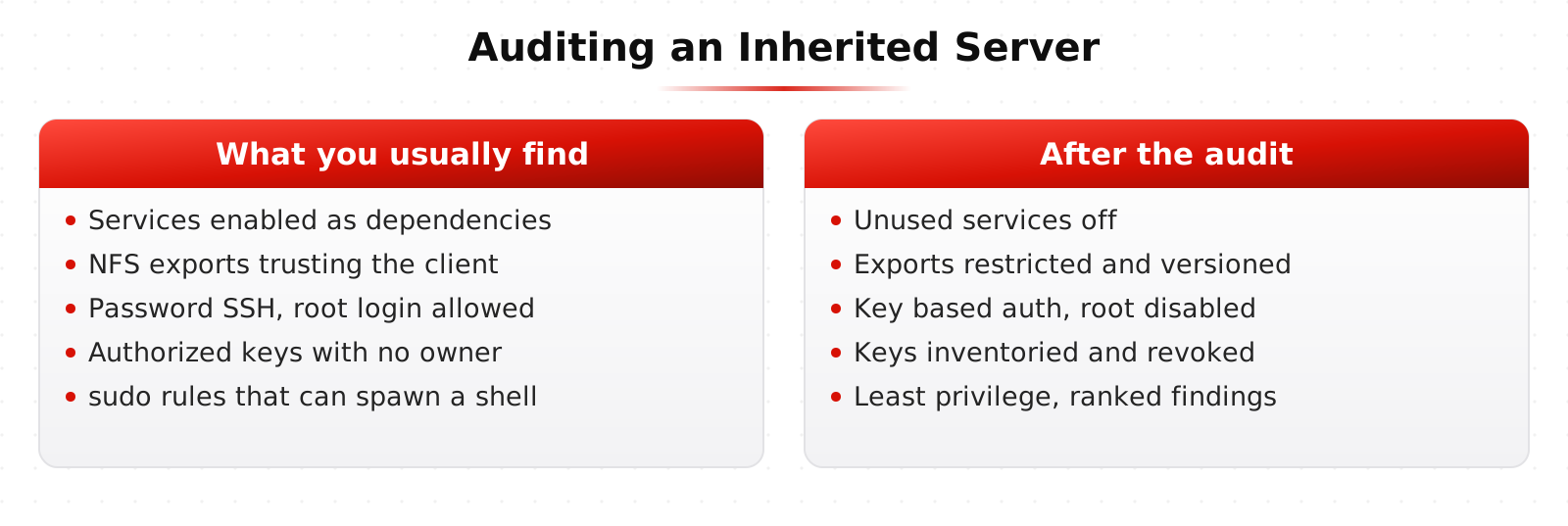
Most of the time you find services that were installed as a dependency, enabled by default, and never used. A printing service on a database server. A web server on a jump host. Each one is a door somebody has to remember to lock, and the cheapest security fix in the industry is turning off things that nobody uses.
NFS, The File Share That Trusts Too Much
NFS is a good teaching example because its trust model is so blunt. In its common configurations the server trusts the client to tell the truth about who the user is. If you control a client, you can often claim to be any user ID you like.
You see this in the lab: mount an export, become the right user ID, and read files you were never meant to read. Then you fix it, using export options, network restrictions, and where possible a version of the protocol with real authentication.
SSH, Hardening the Front Door
SSH is usually the most important service on a Linux host, and the default configuration is reasonable rather than good. Hardening it is a short list with a big payoff.
Key based authentication instead of passwords. Root login disabled. A specific list of users or groups allowed to connect. Modern ciphers only. Rate limiting on failed attempts. And, most importantly, knowing which keys exist and who holds them.
That last one is where real environments fall apart. Authorized key files accumulate. People leave, keys stay. Part of the lab is inventorying keys across hosts and figuring out which ones still have an owner.
Identity, Authorization, and Least Privilege
Authentication is proving who you are. Authorization is what you are allowed to do once you have proven it. Confusing the two causes a specific and common failure: systems that check identity carefully and then hand everyone the same broad access.
Least privilege means giving an account exactly the access it needs to do its job and nothing more. It is easy to state and hard to run, because needs change and nobody ever files a ticket to have permissions removed. This is the same principle that later drives zero trust.
sudo, Service Accounts, and Lingering Power
sudo is where least privilege usually leaks. A rule that lets a user run one specific command as root sounds tight until you notice that the command can spawn a shell, or read arbitrary files, or write to a path the user controls.
Service accounts are the other leak. They are created for an application, given wide permissions so the install works, and then never reviewed. They rarely have multi factor authentication and often have passwords that never expire, which makes them a favorite target.
The Challenge: Audit an Inherited Server
You are given a machine with no documentation. The task is to produce an honest picture of it: what it runs, what it exposes, who can reach it, who has power on it, and what you would change first.
The output is a written finding list, ranked. That ranking is the skill. Anyone can produce 40 findings. Deciding which three actually matter is what gets you hired, and it is the exact input to the CIS Controls mapping exercise in Week 4.
Learn This at HackRange
This week uses the Linux skills from our Specializing in Linux course. If you want more depth on permissions, processes, and the shell, that course covers all of it.