A home lab is the most reliable way to turn studying into experience. It costs an old computer and some evenings, and it gives you specific things to talk about that belong to you.
It is also the difference between saying you understand Active Directory and saying you built one, broke it, and fixed it.
The Hardware Question
Start with what you have. A laptop with 16 gigabytes of memory runs two or three virtual machines comfortably, which is enough for most of the projects that matter.
If you want to spend a little, a used small form factor business desktop with 32 gigabytes of memory is the standard recommendation. They are plentiful, cheap, and quiet.
Cloud free tiers cover some of this without hardware, and they are the right choice for cloud specific projects. Set a billing alert on day one, because the most common home lab expense is a resource somebody forgot to shut down.
The Software
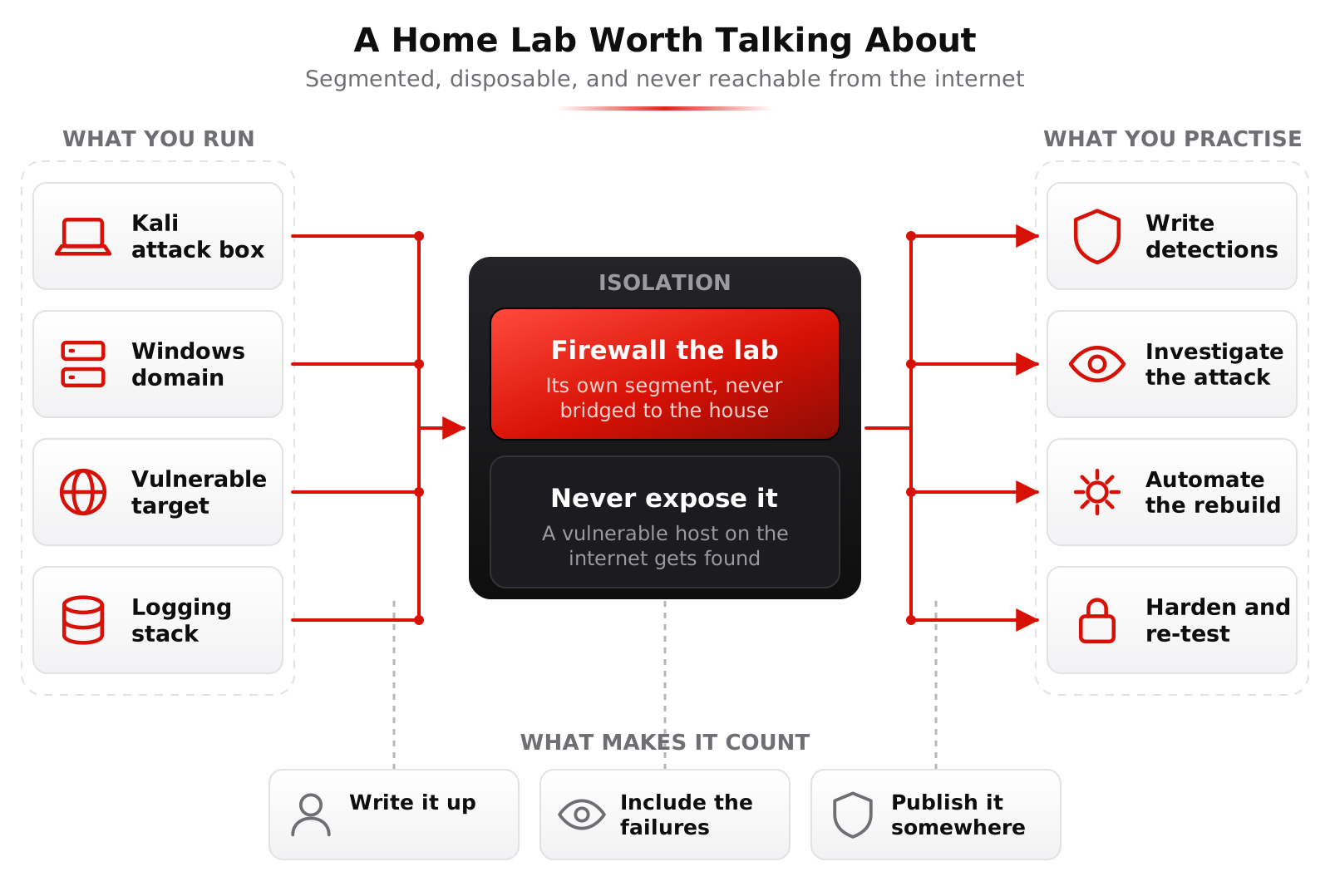
A hypervisor: VirtualBox is free and easy, Proxmox is free and closer to what enterprises run, and it is worth learning for that reason alone.
Kali Linux as the attack machine. A Windows Server evaluation copy, which Microsoft provides free for 180 days, for building a domain. A Linux server, Ubuntu or Rocky, as a target and as practice.
A firewall such as OPNsense or pfSense in a virtual machine to segment the lab properly.
And something to catch logs: Security Onion, an Elastic stack, Wazuh, or a free tier Splunk instance.
Projects That Actually Teach You Something
Build a small Active Directory domain with a couple of workstations, then attack it. Domain environments are what most enterprises actually run and most beginners have never seen one from the inside.
Stand up a vulnerable machine from VulnHub, or run OWASP Juice Shop, and work through it properly. Then write down how you did it.
Set up centralized logging, generate some attack activity, and write detections for it. Then test whether they fire. This is the single most employable project on this list because it is exactly detection engineering.
Segment your lab network with the firewall and write rules that only allow what is needed. This teaches more about networking than any amount of reading.
Automate something with Ansible or a script, so the lab rebuilds itself. Employers notice this because it signals engineering thinking. See the Ansible course.
Safety Rules
Keep the lab on its own network segment or its own virtual network. Do not put deliberately vulnerable machines on the same network as your family's devices.
Do not expose lab systems to the internet. A vulnerable machine reachable from outside will be found and used, and it will be your address it is used from.
Only attack things you own or things explicitly built for the purpose. Practice platforms and bug bounty programs exist to give you legal targets, and the rules there are also legally binding.
Documentation Is the Actual Product
This is the part most people skip and it is where nearly all the hiring value sits. An undocumented lab is an experience only you had.
Write short posts about specific problems. What you were trying to do, what went wrong, how you worked it out, what you learned. Two pages is plenty and it beats a long tutorial nobody reads.
Put it somewhere public: a personal site, a GitHub repository, or LinkedIn posts. The point is that a hiring manager can see it without asking.
Include the failures. A writeup that says this took me three days because I misread the documentation is more convincing than one where everything worked, and it demonstrates exactly the persistence employers are trying to detect.
Turning It Into Interview Answers
Every project should give you a specific story. Not I know Active Directory, but I built a domain, misconfigured a service account, used it to escalate, and then wrote a detection that caught it.
That is the shape of answer that ends the conversation about whether you have real experience. It is also exactly what the mentorship produces week by week, which is covered in getting hired.
Learn This at HackRange
Mentorship students get a dedicated lab with Windows and Linux hosts, so the environment is already built. A home lab afterwards is how you keep it going.